 Speakmi
Long articles.
Short, calm parts.
Speakmi turns the article you are reading into bite-sized pieces, one at a time. Made for ADHD and dyslexia, with key points you can check against the source.
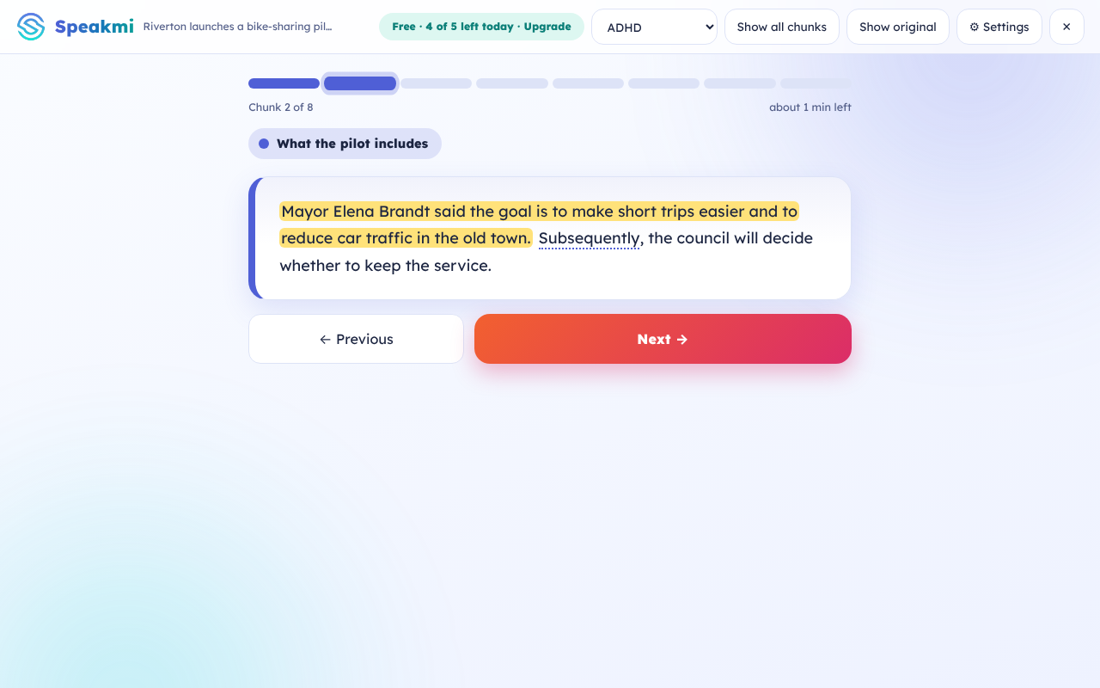
Three steps. No overwhelm.
Open any article, click Speakmi, and you always know what to do next.
See it in short
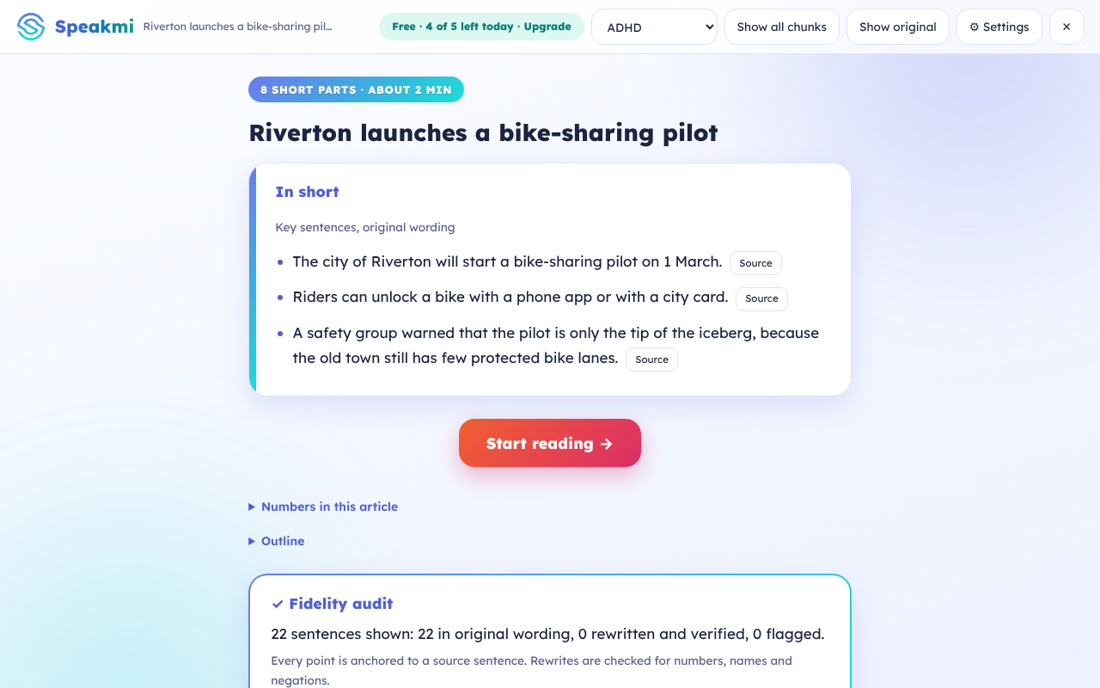
Get the key sentences first, in the article's own words. Decide in seconds if it is worth your time.
Read one part at a time
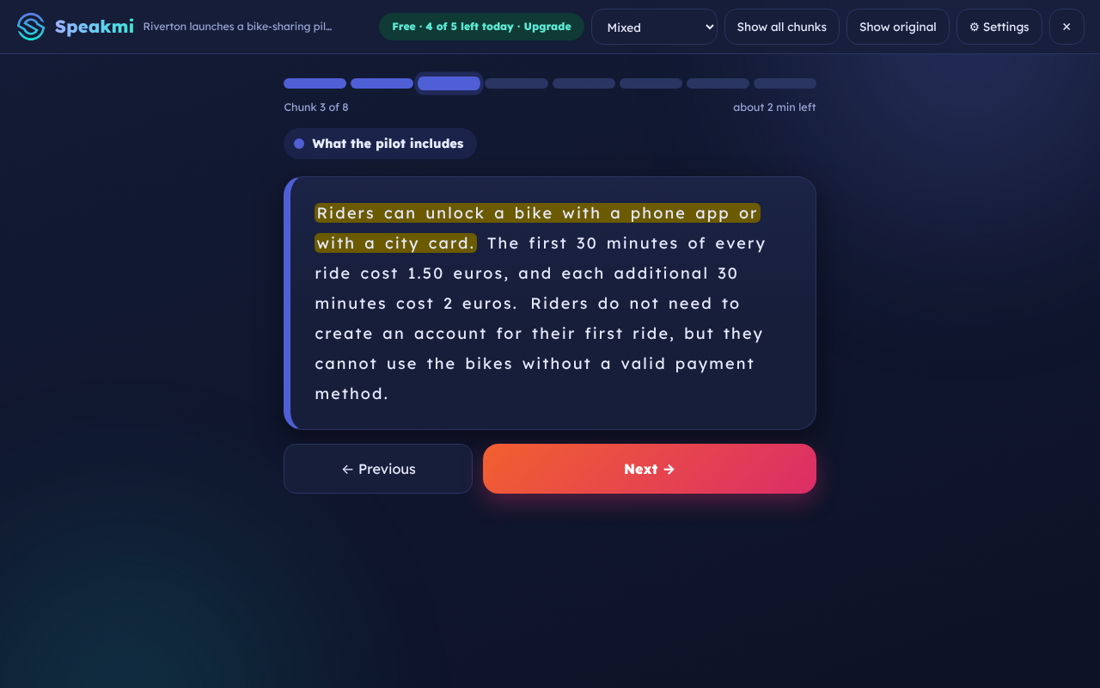
Short parts, a colourful progress bar and the time left. One big button for what comes next.
Keep what matters
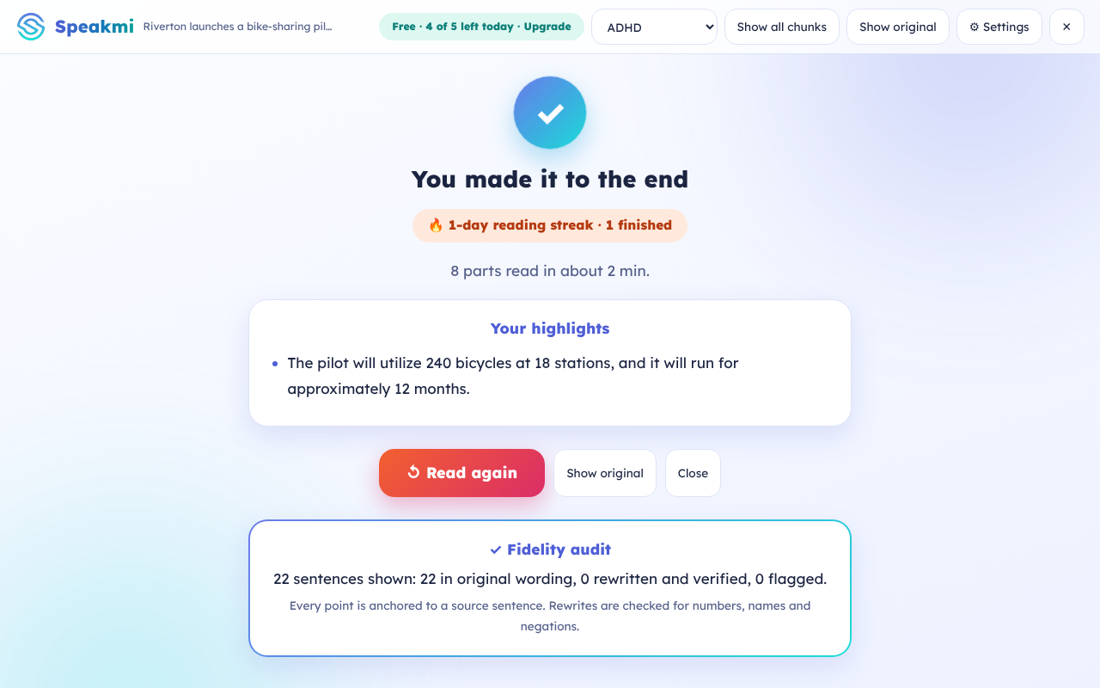
Tap any sentence to highlight it. Finish with a recap, a little celebration and your reading streak.
Designed for how attention works
Every choice is there to lower the effort of getting started and keep you going.
One thing on screen
One short part at a time. Extra controls stay tucked away until you want them.
Colour-coded progress
Each section of the article has its own colour, so you can see where you are at a glance.
Tap to highlight
Mark the sentences that matter and get them back in your recap at the end.
Dyslexia-friendly spacing
Extra letter and word spacing, supported by research, in a roomy layout. No gimmick fonts.
Literal meanings
Figures of speech like "piece of cake" are flagged with what they actually mean.
English, Deutsch, Bahasa Indonesia
Interface and text handling in three languages, with more planned.
Not another AI summary you have to take on faith
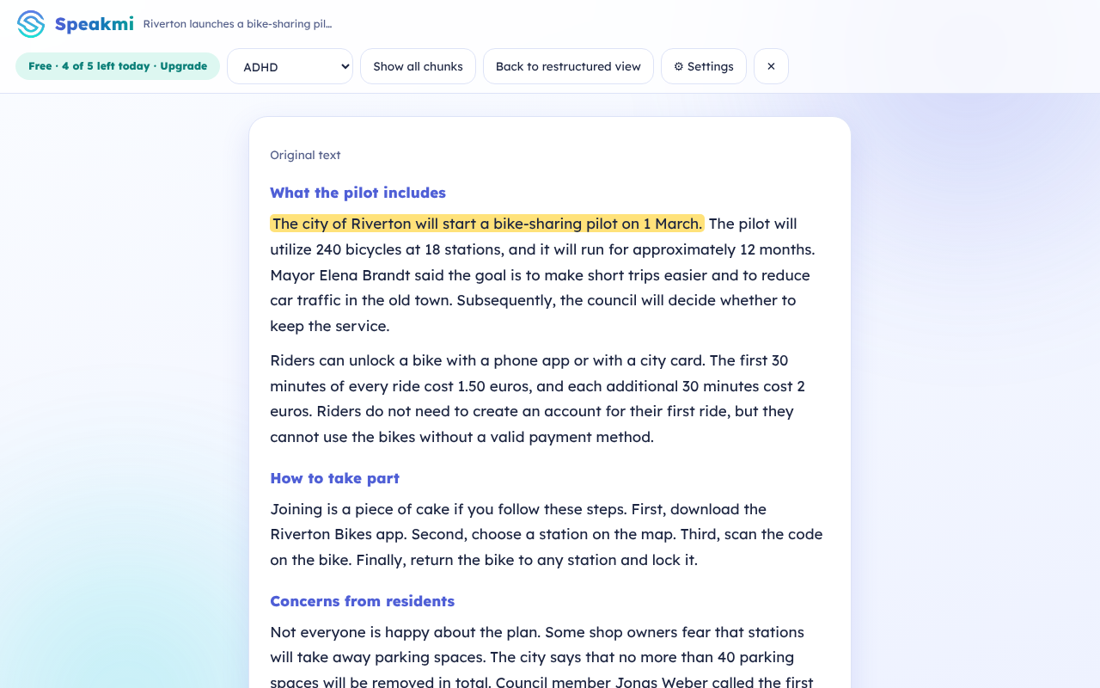
- Every point has a source. One click shows the original with that exact sentence highlighted.
- Fidelity checks. Numbers, names and negations are compared with the source. If an AI rewrite changes one, Speakmi flags it.
- Evidence labels. Each feature shows how strong the research is. Specialised dyslexia fonts are left out because studies show little benefit.
Speakmi is a reading aid. It does not diagnose or treat any condition and has not been clinically validated. A user study is planned.
Get Speakmi in two minutes
Speakmi is in beta. Install it from the files below now; store versions are on their way. Speakmi is open source (MPL-2.0).

Speakmi 0.3.0 beta
For Firefox, Chrome and Edge on Windows, Mac and Linux.
⬇ Chrome & Edge (.zip) ⬇ Firefox (.zip)Open source (MPL-2.0). Source code (.zip)
Add from Chrome Web StoreUnzip the file
Double-click the downloaded zip. You get a folder with the extension files, including
manifest.json. Keep it somewhere permanent, for example in Documents.Open the extensions page
In Chrome type
chrome://extensionsin the address bar
In Edge useedge://extensions
In Firefox useabout:debugging#/runtime/this-firefoxSwitch on Developer mode
It is the toggle in the top-right corner of that page (in Edge, bottom-left). Firefox does not need this step.
Click "Load unpacked"
Choose the folder that contains
manifest.json. In Firefox click Load Temporary Add-on and pickmanifest.json. Then pin Speakmi with the puzzle-piece icon.Open an article and click Speakmi
Pick your reading profile and press Restructure this page. Shortcut:
Alt+Shift+S.
Chrome may show a "developer mode extensions" reminder when you start the browser. That is normal for installs outside the store. The extension only runs on the page where you click it.
Free to start. Upgrade if it helps.
The accessibility core and the fidelity checks are never behind a paywall. Pay once: there is no automatic renewal.
Free
- All reading profiles
- Key sentences and show-original
- Fidelity check and evidence labels
- Up to 5 articles a day
Premium
or for 1 month · lifetime
- Unlimited articles every day
- Experimental on-device AI rewriting (English)
- Supports an independent accessibility project
💳 Debit & credit cards🅿 PayPal▦ QRIS, e-wallets & bank transfer (Indonesia)🌍 USD, EUR, GBP, AUD, CAD, SGD and Rupiah
What you read stays with you
The article is processed inside your browser. No account, no analytics, no ads, and nothing you read is sent to us. There is no Speakmi server to send it to.
Read the privacy policyTry it right now
See the real reader on a sample article, in your browser, without installing anything.
✨ Open the live demoQuestions
Does it send what I read anywhere?
No. Speakmi runs in your browser. There is no Speakmi server.
Does it rewrite the article?
By default it reorganises the article's own sentences, so the wording cannot drift. The experimental AI rewrite is optional, English only, and every rewrite is checked before it is shown.
Which sites and languages work?
It works best on news and blog articles and Wikipedia, in English, German and Bahasa Indonesia. Pages without a clear article, such as apps and shops, cannot be processed.
Why do I install it from a file?
Speakmi is a beta and the Chrome Web Store listing is not live yet. The file is the same extension; installing it takes about two minutes. We will update this page when the store version is out.
How do I use my licence key?
Click the Speakmi icon, open "I have a licence key", paste the key and press Activate. It works offline.
Which payment methods can I use?
PayPal and debit or credit cards (Visa, Mastercard and more) in USD, EUR, GBP, AUD, CAD or SGD, and QRIS, e-wallets (GoPay, OVO, DANA, ShopeePay), bank transfer and cards in Indonesian Rupiah.
Is Premium a subscription?
No. You pay once for 1 month, 1 year or lifetime. Nothing renews automatically.
Is it a medical tool?
No. It is a reading aid and gives no medical advice.
Which browsers?
Firefox, Chrome and Edge on desktop. The Firefox build is new and still being tested; tell us if something looks wrong. The optional AI rewrite needs a browser with built-in AI (Chrome today); everywhere else Speakmi works in its rule-based mode.